v4.2 [May 29, 2015]
Standard and Cloud editions
Cross-cohort working
Improved selection facility
Improved groups facility
v3.3 [Sep 28, 2011]
What’s new: version 3.3
Year 1 mode - assessing pupils in year 1 against EYFSP statements in eProfile
Some pupils may not be ready for a full immersion in the Key Stage 1 programme of study when they arrive in year 1. For these pupils it may be appropriate to continue to build a picture against aspects of the Early Years Foundation Stage Profile until such time as they are ready for the KS1 programme.
While it is possible to continue to add assessments for pupils in year 1 in eProfile there may be a number of problems. Pupil assessments can be dated from September – in a new school year these assessments will look chronologically wrong as they actually refer to what is now last year. It would be better to move all positive assessments to September so as to register last year’s assessments and leave the canvas clear for assessments in later months of this year. This would be both an onerous and a dangerous task. A hidden danger would be that there is no visible indication that these changes have taken place, and there may be confusions between copies and backups. It would also be dangerous if this data set were interrogated for a picture of last year’s performance when it may have already had data added in year 1, and pupils who did not need to continue with EYFSP assessments may have been deleted from the data set. These issues do need to be surfaced.
Version 3.3 of eProfile will allow users to use eProfile in year 1 if they wish, and it will attempt to ensure that good data management takes place.
It is essential, however, that this facility is properly managed in the school/setting, and that the data set collected by your LA last year is left intact and accessible as the official record of your school’s/setting’s outcomes. All analysis of outcomes must be made using the original and complete data set that was collected by your LA. Any work that you do with those pupils who continue with EYFSP into year 1 must be carried out on a separate computer.
Under normal data management this should not cause any problems, as the classroom installation of eProfile can be used for this facility and the office/head teacher’s installation can be left intact.
The facility will only become available for pupils who are currently in year 1. The menu button will only appear under the Administration tab in eProfile when you have selected a current year 1 cohort. It will not appear if any other cohort has been selected.
More control over printouts.
More detailed information for support partners
Access to the eProfile web site and frequently asked questions pages (if the computer has an internet connection).
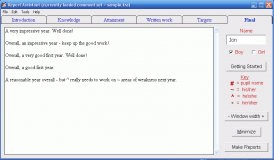


Is a software that helps teachers easily create a student report card.


Profile Manager gives you control of the way Windows manages user profile data.


ICC Profile Inspector enables users to explore the contents of an ICC profile.